Contents Menu Expand Light mode Dark mode Auto light/dark mode
Light Logo Dark Logo
  • Why Covalent?

Get Started

  • Quick Start
  • First Experiment

User Documentation

  • Concepts
    • Covalent Basics
    • Covalent Architecture
      • The Covalent SDK
      • Covalent Services
      • The Covalent GUI
  • Tutorials
  • How-To Guide
  • User Interface
    • Dashboard
    • Graph View
    • Sublattice Views
    • Preview Transport Graph
    • Server Log
    • Settings
    • Terminal
  • API Reference
    • Covalent
    • Covalent CLI Tool
    • Electron
    • Lattice
    • Dispatcher
    • Results
    • Lepton
    • Executors
      • Local Executor
      • Dask Executor
      • SSH Executor
      • Slurm Executor
      • AWS Braket Executor
      • AWS Lambda Executor
      • AWS EC2 Executor
      • AWS ECS Executor
      • AWS Batch Executor
      • Google Batch Executor
      • Synchronous Base Executor Class
      • Asynchronous Base Executor Class
    • Dependencies
    • File and Data Transfer
    • Triggers
    • Setting Defaults
    • Cancellation
  • Server Deployment
  • Credentials
    • Amazon Web Services (AWS)
    • Microsoft Azure
  • Glossary
  • Troubleshooting

Features

  • Executor plugins
    • Dask Executor
    • SSH Executor
    • Slurm Executor
    • AWS Plugins
    • AWS EC2 Executor
    • AWS Lambda Executor
    • AWS Batch Executor
    • AWS ECS Executor
    • AWS Braket Executor
    • Google Batch Executor
  • Triggers
  • Cancellation
  • Redispatch

For Contributors

  • Project Homepage
  • Building Covalent from Source
  • Contribution Guidelines
  • Code of Conduct
Back to top
Edit this page

Search#

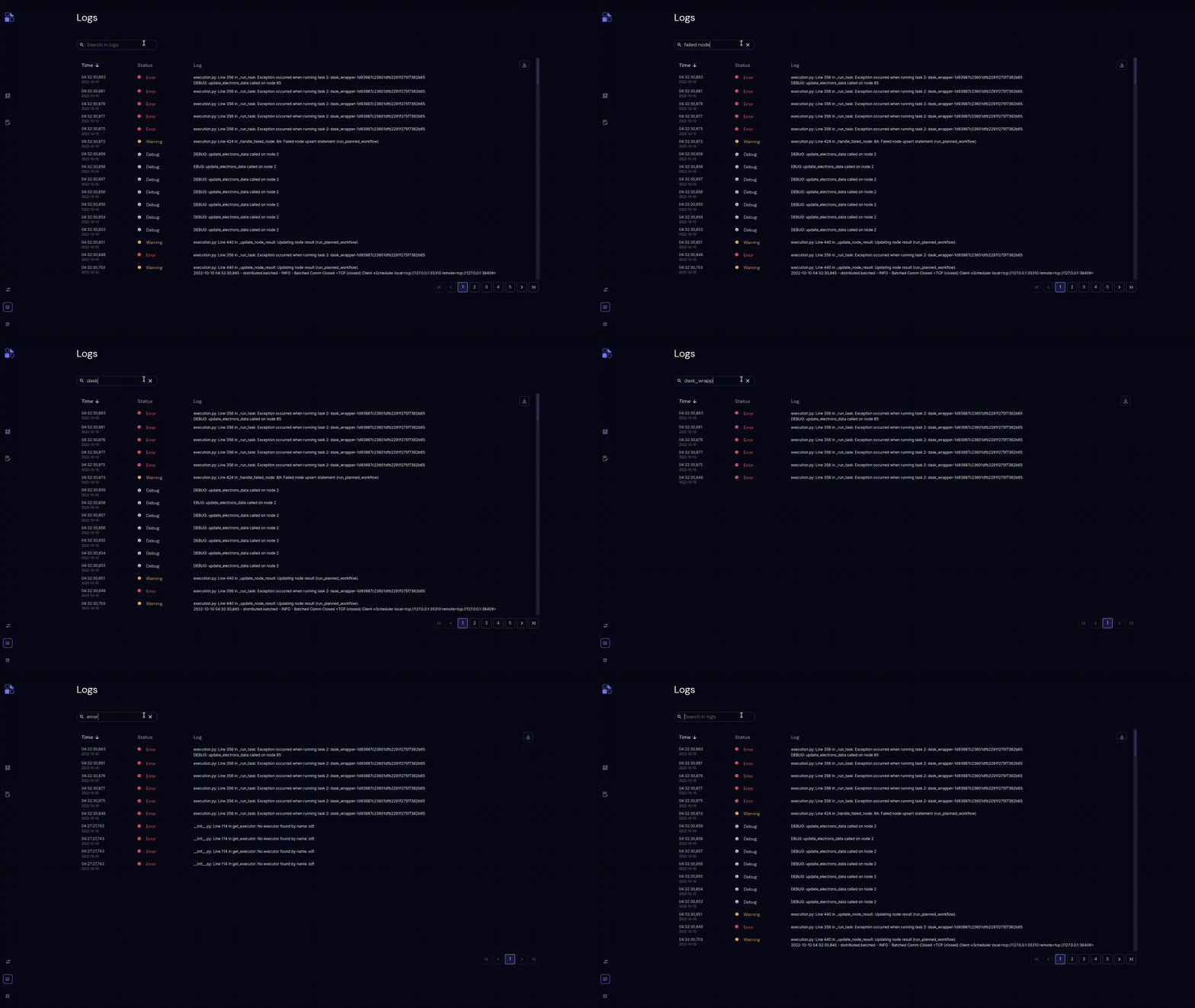
Type three or more characters in the Search text field to limit the log to entries containing the search string. The string is a match if it appears in the Status or in the Log message. The search is not case-sensitive.

Click clear to clear the search text field.

Type three or more characters in the Search text field to limit the log to entries containing the search string. The string is a match if it appears in the Status or in the Log message. The search is not case-sensitive.

Click clear to clear the search text field.

../../_images/logs_search.gif
Copyright © 2021 Agnostiq Inc.
Made with Sphinx and @pradyunsg's Furo